
You can often use the phone number your customers already know on the WhatsApp Business API. What you need to do depends on where the number is now: on the WhatsApp Business app, on the regular WhatsApp app, or with another provider. Pick your case below, and check what happens to your chats before you start.
Review how your current app setup determines phone app usage and chat history options before connecting.
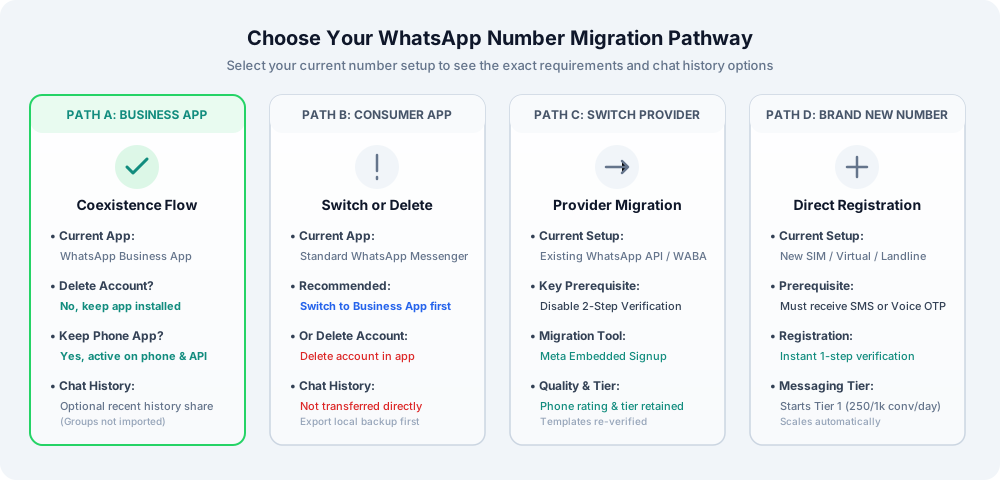
If your number is currently active on the official WhatsApp Business app, you can connect it to CampaigningTool using Meta's coexistence feature without deleting your account.
Ensure your WhatsApp Business app is updated to the latest version on your phone. Keep it installed, as uninstalling the app breaks the API connection.
Log in to your CampaigningTool console, go to Settings → Channels, and click Connect Number.
In Meta's Embedded Signup popup, select "existing WhatsApp Business app number" and confirm your phone number.
Meta sends a confirmation notification or QR verification prompt directly to your Business app. Tap approve on your device.
Select whether you want to sync recent 1-on-1 chat history to the Cloud API portal. If you skip this step, you may have to disconnect and reconnect later to import it.
Your number is now connected. You can reply to customers from your phone's WhatsApp Business app or manage broadcasts and AI agents from CampaigningTool.
If your number is on standard WhatsApp Messenger (the personal consumer app), you cannot use direct coexistence immediately. Follow these steps:
Export vital chat transcripts or media files from your phone. Chats are not transferred directly to the API if you delete the consumer account.
Route 1 (Recommended): Install the WhatsApp Business app on your phone and convert your personal account to a Business account. Once converted, follow Path A for coexistence.
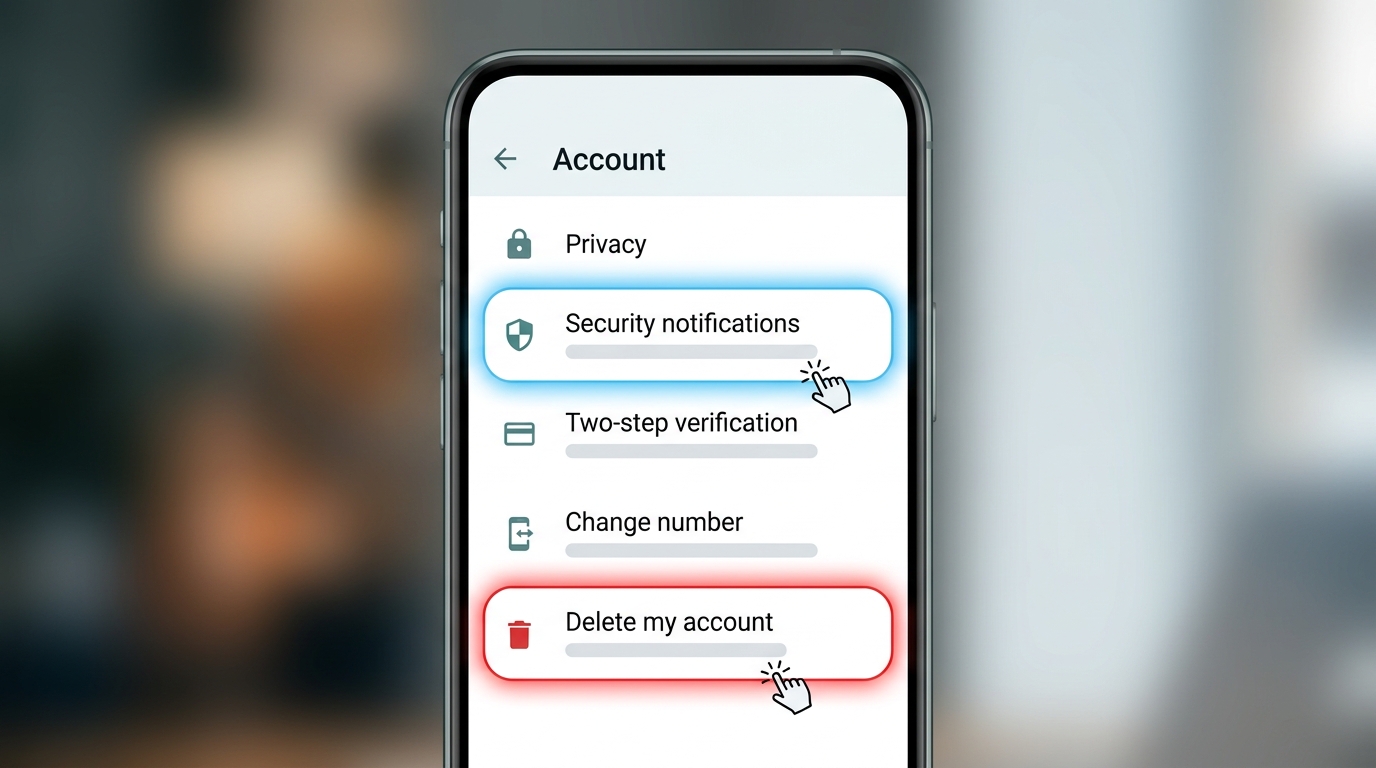
Route 2 (API-Only): Open WhatsApp on your phone → Settings → Account → tap Delete my account. (Note: Simply uninstalling the app is not enough; the account must be deleted to release the number for API registration.)
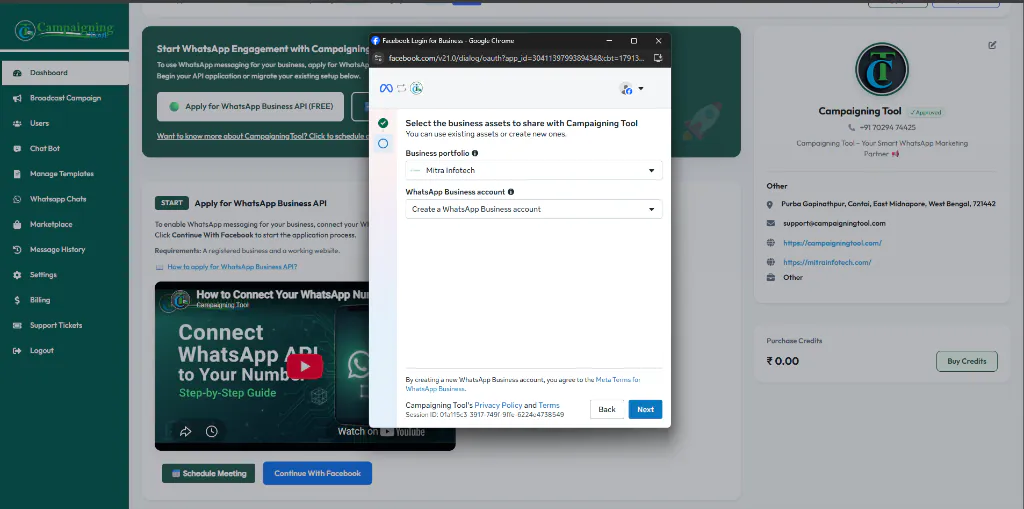
Log in to your CampaigningTool console, choose Connect Number, and select Meta Embedded Signup.
Enter your phone number and submit the 6-digit verification code sent via SMS or automated phone call to complete Cloud API activation.
If your phone number is already registered on the WhatsApp Business API with another Business Solution Provider (such as Twilio, Wati, Gupshup, or AiSensy), you can seamlessly migrate it to CampaigningTool:
Ensure you have the following prerequisites ready before starting your registration:
Able to receive SMS or voice calls worldwide, and not blocked or flagged by Meta.
An active Meta Business Manager. Business verification helps unlock higher messaging limits.
Full administrative control of the phone device and the WhatsApp Business app if using coexistence.
Local export or coexistence history sharing enabled for recent 1-on-1 messages.
For a complete technical compliance checklist, see our dedicated WhatsApp Business API Requirements Guide.
Once your number is connected to CampaigningTool via the official Meta Cloud API:
Everything you need to know about coexistence, chat preservation, and provider switching.
Often yes. Numbers on the WhatsApp Business app can usually be connected without deleting the app account, and numbers on the regular WhatsApp app must first be moved or deleted. Your number must also meet Meta's requirements.
Yes, with coexistence, as long as the number is on the WhatsApp Business app and you keep the app installed.
It depends on your path. With the Business app and coexistence you can share recent chat history. If you delete a regular WhatsApp account, your chats aren't transferred, so back them up first.
Not if your number is on the WhatsApp Business app and you use coexistence. For numbers on the regular WhatsApp app, you either switch to the Business app first or delete the account.
Usually yes, after you disable two-step verification with your current provider. We can walk you through it.
Connecting a number is often quick, but verification and Meta's checks can take longer. We can't promise a time.
No. The tick is a separate request that Meta reviews. See blue tick verification.
You can disconnect it later, but you should check what happens to your chats and messaging history before you do.
Talk to our team before you start, and we'll tell you which path fits your number and what happens to your chats. Or start a 7-day free trial.