Create a wa.me chat link with a pre-filled message and download a QR code in seconds. Add the link to your website, Instagram bio or ads, or print the QR code on flyers, packaging and shop counters, so customers can start a WhatsApp chat with one tap or scan.
100% Browser-based. Your number is never uploaded or saved.
Generate a shareable click-to-chat link in three easy steps.
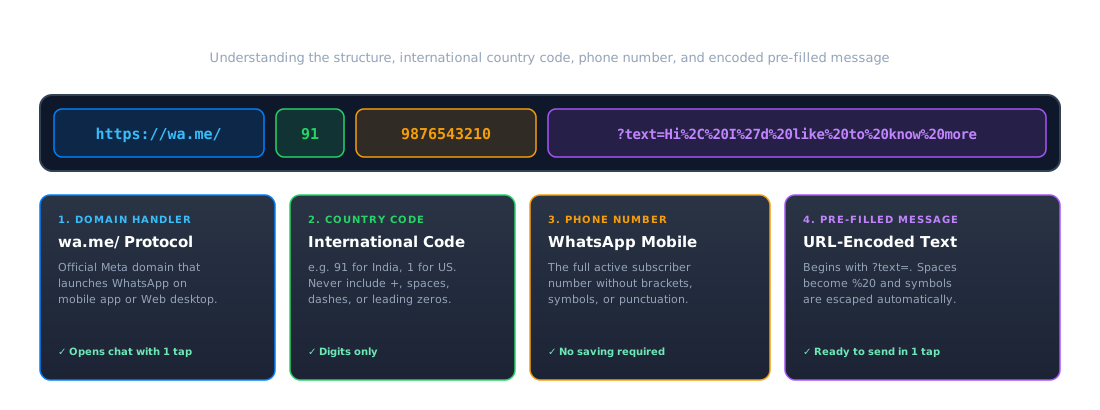
Enter your WhatsApp number with the country code (e.g. +91 98765 43210). Digits only are used automatically.
Add a pre-filled message (optional), such as "Hi, I'd like to book an appointment." It makes starting the chat frictionless.
Copy the link or download the QR code in PNG or vector SVG format, and test it on your phone before printing.
A WhatsApp chat link follows Meta's standard universal URL protocol:
A WhatsApp chat link looks like this:
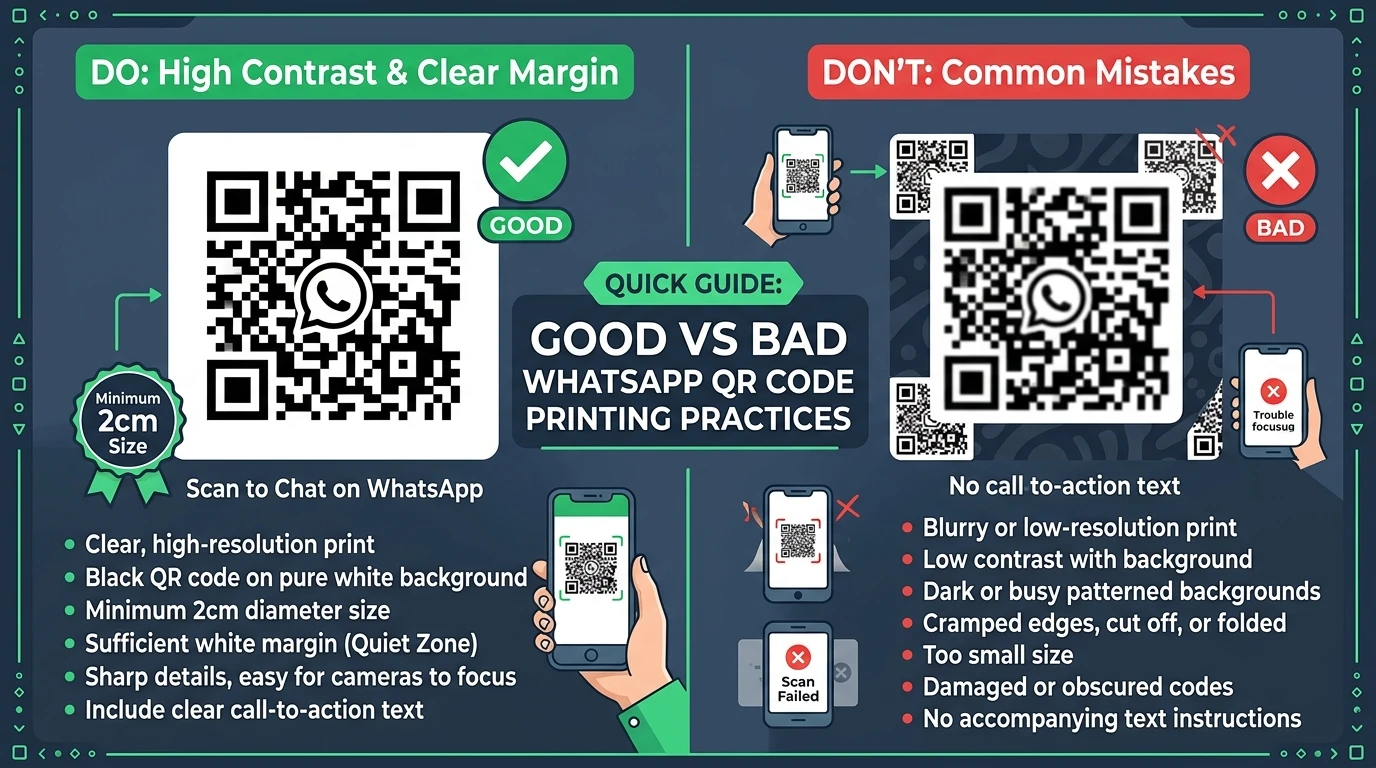
Ensure reliable scan rates across cameras, lighting conditions, and print sizes.
Print it at least about 2 cm (about 1 inch) square, and larger for posters, banners, or billboards.
Use dark code on a light background, and leave a blank white margin (quiet zone) around all four sides.
Add a short call to action next to or beneath the code, such as "Scan to chat on WhatsApp".
Test the printed code with a phone before a bulk print run, and use our downloadable vector SVG for crisp large prints.
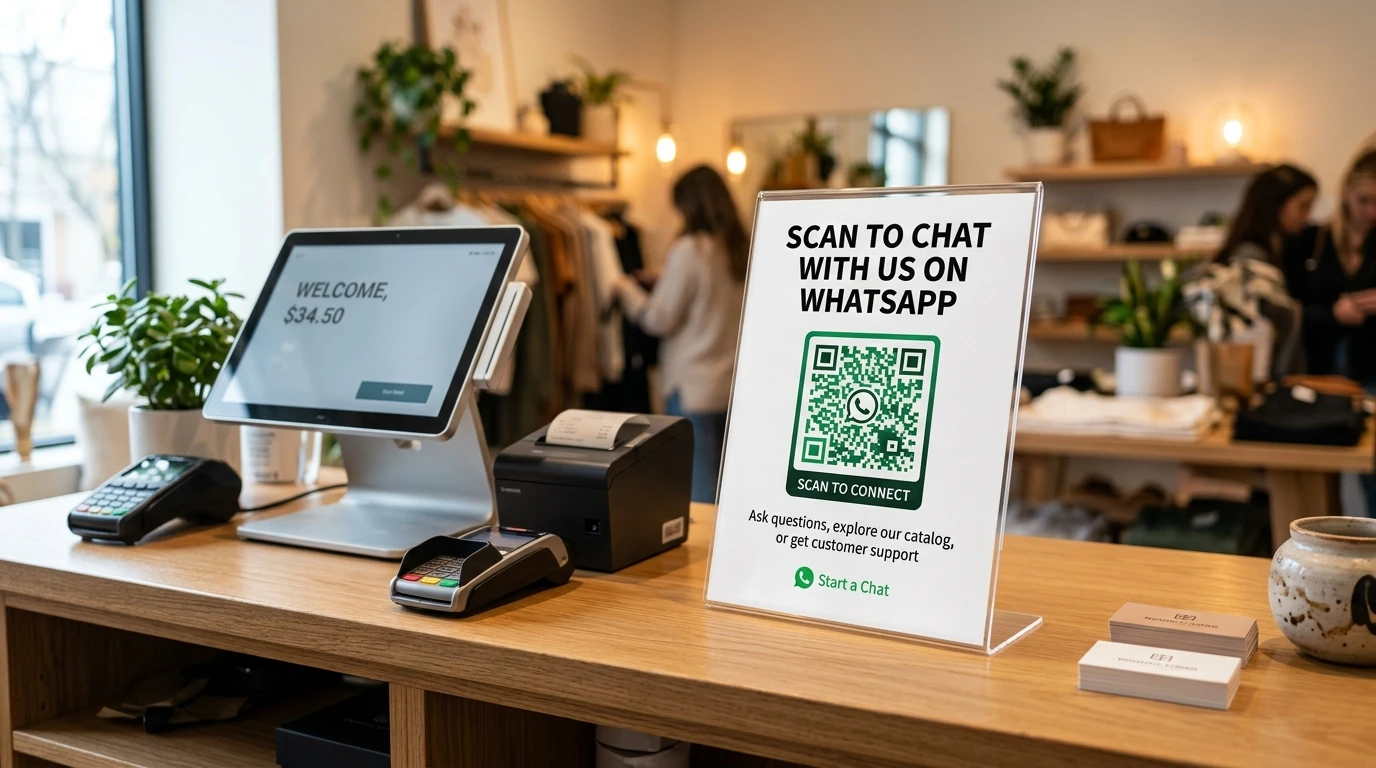
Bridge offline touchpoints into high-intent inbound conversations.
Let buyers reach you to register a product, ask for a user guide, or get quick post-purchase support.
Let customers start a chat for questions, orders or offers. Ask them to agree before sending regular marketing messages.
Use a different pre-filled message on each (such as "Hi, I saw your flyer") to see roughly which placement brings chats.
Link to your WhatsApp chat from your Instagram bio, email signatures, and website contact buttons.
A plain WhatsApp link or QR code opens a chat, but doesn't tell you how many people used it. With CampaigningTool you can use branded tracking links, reply automatically with an AI agent and run Click-to-WhatsApp ads, all on the official WhatsApp Business API.
The link and QR code are made entirely in your browser using client-side JavaScript. We don't store, track, or transmit the phone number or message you enter to any external server.
Common questions about creating, testing, and troubleshooting WhatsApp chat links and QR codes.
A wa.me link is a web link that opens a WhatsApp chat with a specific phone number, and can include a pre-filled message. Anyone who taps it can start a chat without saving your number.
Enter your number with the country code, type your message, and copy the link the generator creates.
International format: country code and number, with no +, spaces, dashes or leading zeros. For example, an Indian number becomes 919876543210.
Yes. It is completely free to use with no account or sign-up needed.
Yes. Download the QR code and print it on flyers, packaging or counters, then test it with your phone first.
No. It stays valid as long as the phone number is still active on WhatsApp.
Not with a plain QR code. Use a tracking link, as described in WhatsApp link and click tracking.
Common causes are a number with a +, spaces or a leading zero, a number that isn't registered on WhatsApp, WhatsApp not installed on the phone, or a message that wasn't encoded properly.
No. They tap the link or scan the code, and the chat opens immediately.
Connect the official WhatsApp Business API, reply automatically and track results. Try CampaigningTool free for 7 days.