Meta Official Business Account (OBA)
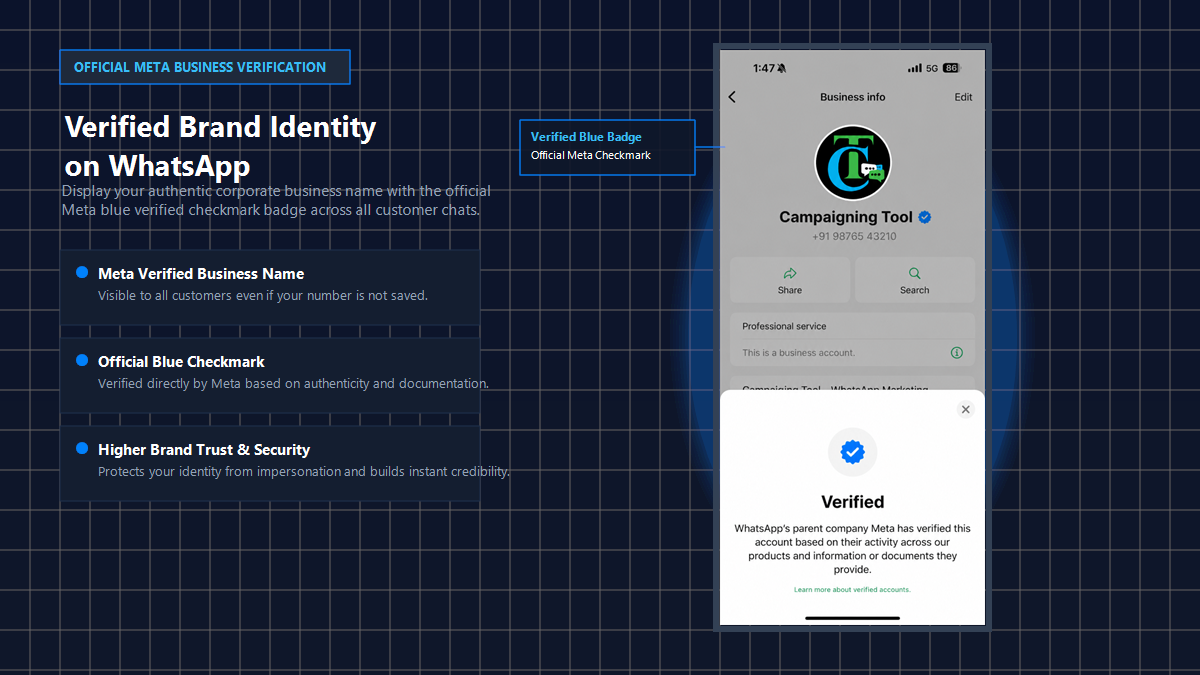
Meta is replacing the older WhatsApp green tick with a blue verified check. If you use the WhatsApp Business API, CampaigningTool can help you check whether your business is eligible, prepare your Meta Business verification and submit your request. Meta decides every application, and approval is never guaranteed.
Practical guidance to prepare your brand and business profile for Meta's review.
A verified badge helps customers recognise your business instead of an unknown number.
Customers are more likely to trust messages from a business they can verify. Results vary, and Meta doesn't guarantee any change in response rates.
We help you check eligibility, prepare your Meta Business verification and submit your request. Meta makes the final decision.
The green tick used to mark Official Business Accounts that Meta had reviewed for notability, and only WhatsApp Business API users could apply. Meta is now moving to a single blue verified check across WhatsApp, Facebook and Instagram, and existing green ticks are expected to turn blue. There are two routes. The Official Business Account review is based on how well-known your brand is, and sources say applying through the API is free. Meta Verified is a paid monthly subscription, mainly for the WhatsApp Business app. Check Meta's documentation for what applies to your country and account.
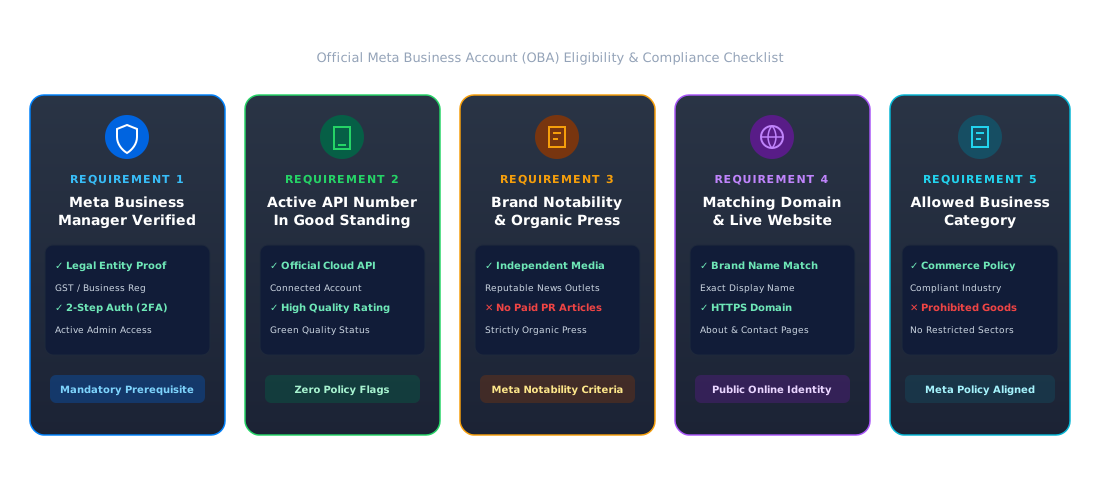
Meta reviews every Official Business Account against strict authenticity and notability benchmarks.
Your company must be fully verified in Meta Business Manager with official registration documents (GST/tax certificate) and two-step verification enabled for all administrators.
An active phone number connected to the WhatsApp Business API with a green quality rating and no policy violations.
A recognised brand: Meta looks for independent coverage, such as news articles written about your business in major media outlets, not paid PR placements or sponsored articles.
A live business website where your brand name, legal entity, address, and email match your Meta Business Profile and display name.
Your business must operate in an approved industry in full compliance with Meta's Business and Commerce policies. Restricted categories (such as gambling, arms, or unregulated supplements) cannot receive verification.
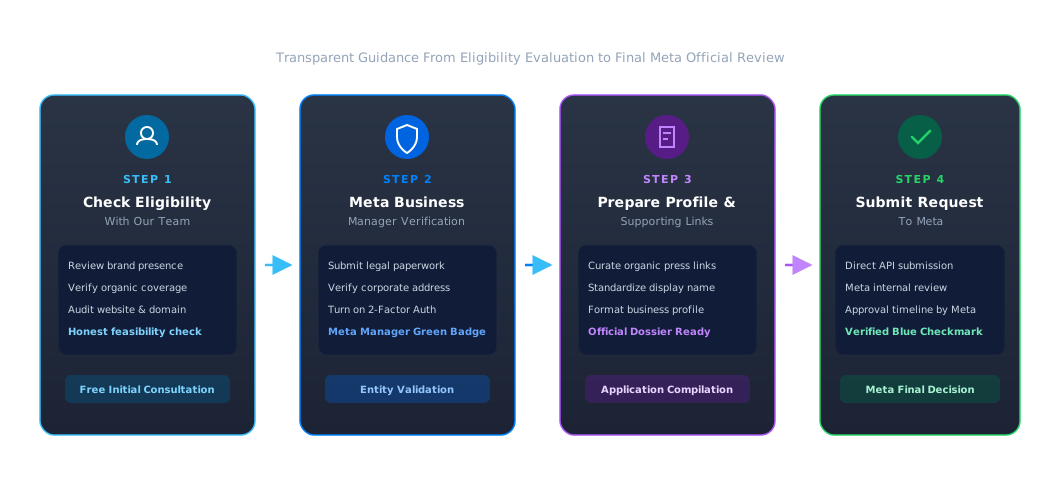
Follow a structured, transparent process to prepare and submit your Official Business Account request.
We review your brand presence, organic press coverage, and Meta Business Manager setup to assess your likelihood of approval.
Submit your legal paperwork inside Meta Business Manager and complete two-factor authentication for account security.
Compile up to 5 organic news articles, standardize your display name, and format your business profile to meet Meta's guidelines.
Submit your request directly through Meta's WhatsApp Business platform. Meta reviews the submission, and decision timing is up to Meta.
Clear, honest pricing with zero hidden fees for official Meta verification.
Meta Review Fee: Meta does not charge an application fee for an Official Business Account request submitted through the WhatsApp Business API.
CampaigningTool Application Support: Initial eligibility evaluations and general application guidance are included free with our CampaigningTool plans. If your business requires comprehensive dossier preparation and hands-on Meta Manager assistance, our team provides dedicated onboarding support.
* Note: Standard WhatsApp Business API messaging charges and CampaigningTool monthly plan fees apply as usual.
Explore essential documentation on WhatsApp API registration, requirements, and features.
Detailed technical and compliance guidelines for deploying the Meta Cloud API.
View API Requirements →Step-by-step instructions on migrating an existing phone number to the WhatsApp Business API.
Use Your Existing Number on the WhatsApp API →Combine your verified brand identity with bulk broadcasts, AI agents, and chat payments.
Explore Marketing Platform →Common questions about Meta verification, green tick vs blue tick, and approval requirements.
It is a verified badge that appears next to a business name on WhatsApp. It replaces the older green tick for Official Business Accounts, as part of Meta's move to one verified check across its apps.
The green tick was the badge for Official Business Accounts. Meta is moving those accounts to the blue check, and also offers Meta Verified, a paid subscription that gives a verified badge to eligible businesses. Check Meta's documentation for what applies to your account.
No. Meta decides based on its eligibility rules, and the Official Business Account review looks at how well-known and notable your brand is. We can help you prepare, but we can't guarantee approval.
Meta doesn't charge for an Official Business Account request through the API, but Meta Verified is a paid subscription. CampaigningTool provides free initial eligibility assessments with our standard platform plans.
It depends on Meta's review. We can tell you whether your application looks complete, but we can't promise a date.
Common reasons include a business that isn't verified in Meta Business Manager, a brand with little independent coverage, a business name that doesn't match your website, or a category Meta doesn't allow. We can review your application with you before you apply again.
For an Official Business Account request, yes. See our requirements page.
Many businesses find that a verified badge helps customers trust their messages, but Meta doesn't guarantee any change, and results vary.
Talk to our team about eligibility, Meta Business verification and your application. Start with the WhatsApp Business API and try CampaigningTool free for 7 days.