Finance and insurance companies can remind customers about EMIs and premiums, collect documents, share claim updates and send security notices on WhatsApp. CampaigningTool runs on the official WhatsApp Business API, so your sales and service teams can answer from one number, with every message sent to people who agreed to hear from you.
High-priority financial messaging built for prompt responses and secure interactions.
Loan enquiries
Answer common questions, share the documents needed, and collect basic details so your team can follow up with the right people.
Premium and EMI reminders
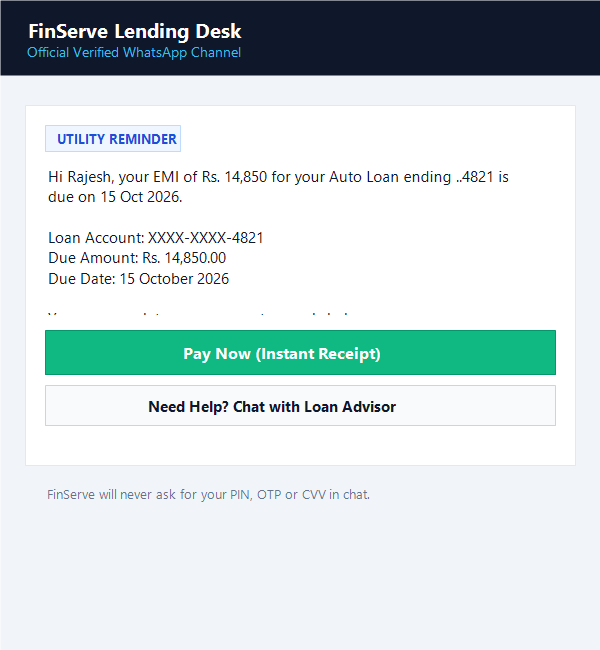
Remind customers before a payment is due, with the amount, the date and a payment link in the same chat.
Security notices and OTPs
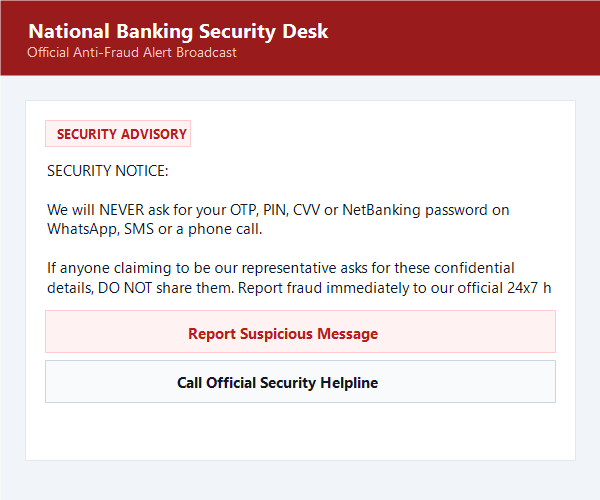
Send one-time codes and transaction alerts as approved templates, and tell customers how to spot a fake message.
Customers don't pick up calls from numbers they don't know, and SMS reminders get buried among offers. They do open WhatsApp. A reminder there can carry the amount, the due date and a pay button, and the customer can reply with a question without calling anyone.
For lenders and insurers, that means fewer missed payments and fewer "what do I need to send?" calls. It also means more care. Finance is a field where a wrong message or a leaked detail causes real harm, so the sections below cover how to use WhatsApp safely.
Complete financial communication lifecycle—from onboarding and reminders to claims management.
Send an approved template before the due date with our WhatsApp scheduler. Show only the last four digits of any loan or policy number.
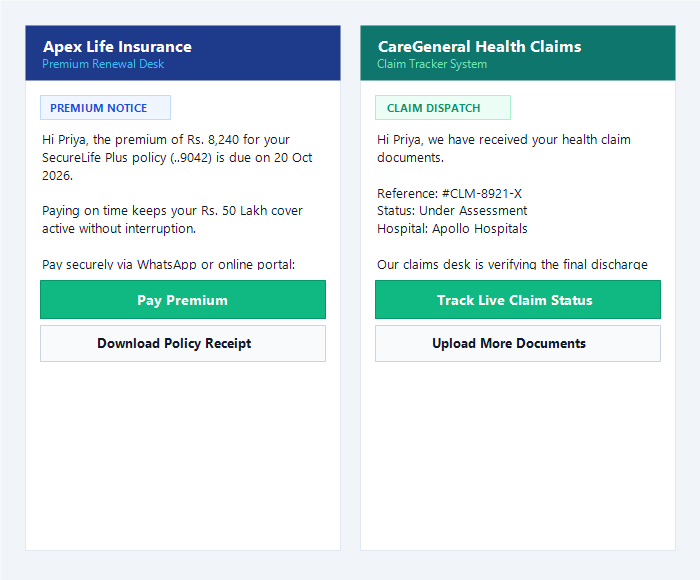
Message customers before a policy ends, with plan details and a renewal link.
Customers send photos or PDFs in the chat, or fill a WhatsApp form for details like income and address.
Tell customers when documents are received, when a claim is under review and when it moves forward.
Send transaction alerts and "we will never ask for your OTP" reminders.
An AI agent can answer questions on eligibility, documents and renewal steps from your own files, and hand sensitive chats to your team.
Get up and running with compliant templates and verified API routing.
Link your WhatsApp Business API number. If you need help, start with our WhatsApp Business API page.
Add a clear tick box on your application, renewal and onboarding forms, and save when and where the customer agreed.
Send reminders and updates, and let your team answer in the shared team inbox.
Clean, pre-formatted templates that protect customer financial data and prevent policy violations.
Ensure all customer outreach respects privacy laws, regulator guidelines, and Meta platform policies.
Fraudsters often pretend to be banks and insurers. A few habits make it harder for them:
Tailored communication architectures for diverse financial institutions and intermediaries.
Insurance agencies and brokers
Renewals, premium reminders, policy documents and claim updates.
NBFCs and lenders
Loan enquiries, document requests and EMI reminders.
Distributors and advisers
Appointment reminders, onboarding steps and statement notices.
Fintech apps
OTPs, transaction alerts and support, using our REST API and webhooks.
EMI and premium reminders are usually utility templates, one-time codes are authentication, and offers are marketing, and Meta bills each category at a different rate. You pay your CampaigningTool plan plus 18% GST, and Meta's charges are passed on to you at cost. See the pricing page for what each plan includes.
Common questions about reminders, documents, security and rules.
Yes, through the official WhatsApp Business API. You message only customers who agreed to hear from you, and you use templates approved by Meta. Banks, NBFCs and insurers also have rules from their own regulators, so check your plans with your compliance team first.
Yes. Send an approved template with the customer's name, the amount, the due date and a pay button. Show only the last four digits of any loan or policy number. Meta decides the final template category.
They can send photos and PDFs in the chat. ID documents are sensitive, so ask only for what you need, tell the customer why, and check your regulator's rules on KYC. Many teams use a secure upload link for the most sensitive documents.
Yes, using authentication and utility templates approved by Meta. You can send them from your own system through our REST API. Never ask a customer to send an OTP back in a chat.
Meta has rules for financial services, and collection messages can fall under them. Read Meta's current Business Messaging Policy before you plan collection messages, and keep your messages to reminders that customers agreed to receive.
Tell customers which number you use, and say clearly that you will never ask for an OTP, PIN or password in a chat. You can also apply for Meta's verified badge, although Meta decides who gets it. See our Green Tick page.
It can answer general questions from your own documents, such as eligibility rules, documents needed and renewal steps. Set it not to give advice, approve loans or quote a premium without a person, and hand those chats to your team with the WhatsApp AI agent.
Yes. Sales, service and claims teams can reply from the same number in the team inbox, with each chat assigned to the right person.
Message only people who agreed, and keep full account, card, PAN and Aadhaar numbers out of messages. India's Digital Personal Data Protection Act, 2023 applies to personal data, so ask your legal adviser how it applies to you.
EMI and premium reminders are usually utility templates, one-time codes are authentication, and offers are marketing, and Meta bills each category at a different rate. See the pricing page for current plans.
Combine core automation tools to scale your financial communication stack.
Native 1-click UPI and gateway checkout for instant premium and fee collection.
24/7 automated qualification and query handling with live human agent failover.
Unified inbox for sales, claims and underwriting teams on one business number.
Send high-volume policy announcements and transactional alerts with high deliverability.
Interactive native forms for customer onboarding, loan applications and survey data.
Official Meta Cloud API connection with high throughput and uptime guarantees.